Nº 001 · The product

Automated post-discharge follow-up, grounded in the EMR, in the owner's language.

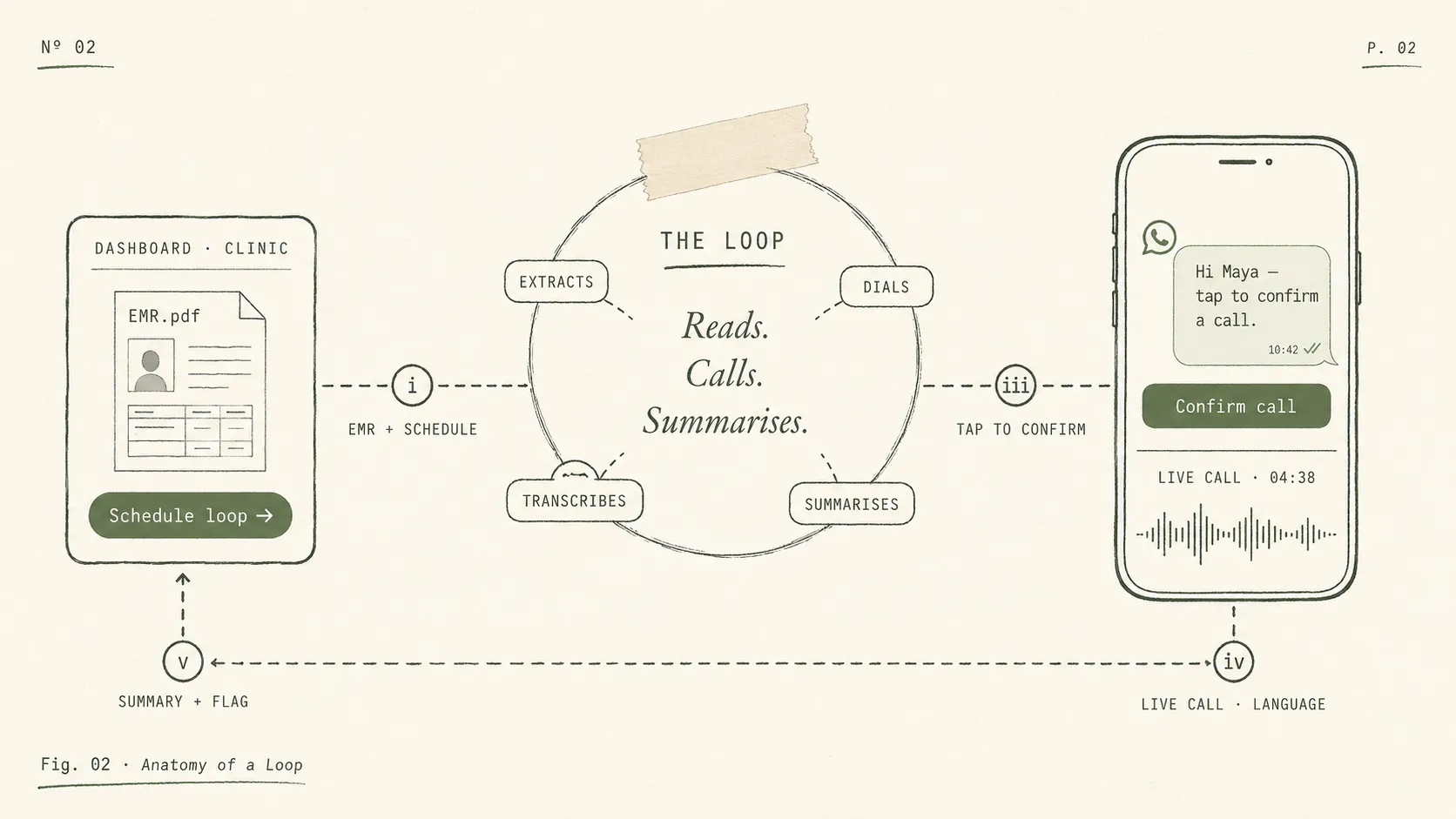
Anatomy of a Loop. The clinic schedules a loop from the dashboard with the EMR attached, the owner taps to confirm by text, Loop holds the live call in the owner's language, and a structured summary with a follow-up flag returns to the clinic.

Grounded in the EMR you attached. Confirmed by the owner with one tap. A structured summary lands the second the call ends.

Sign in, schedule your first loop the same day.

Nº 002 · What it does

Built for the way veterinary clinics actually run.

No new portal for the team to log into. No daily dashboard to babysit. You schedule a Loop at discharge, the owner gets a link, and the summary lands when the call ends.

The call knows the case before it dials.

You attach the discharge note, prescription, or vaccination record. Loop reads the documents and extracts patient, owner, doctor, medication, and clinical context. The conversation is grounded in the actual record, not a generic script.

  • PDF, image, or scan, attached when you schedule the loop.
  • Pulls patient name, species, breed, age, gender, reproductive status, doctor.
  • Custom questions per loop, layered on top of what Loop extracted.
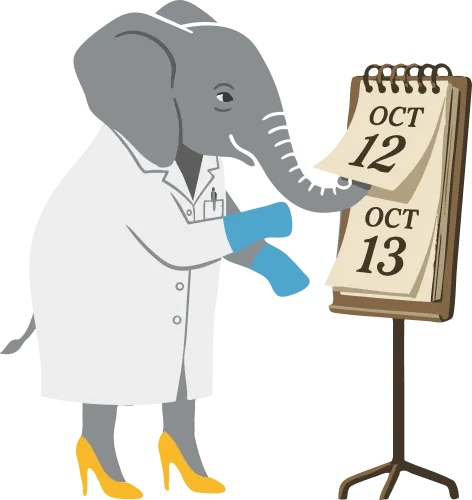
Callie the elephant doctor reviewing a clinical calendar. Loop reading the patient case before it dials.

Schedule a loop at discharge. The summary lands when the call ends.

Four steps. Two of them are yours, two of them are Loop's. Nothing in between.

Step Your team Loop What lands
01

Schedule a loop

Your team Open the dashboard, attach the discharge note (PDF or image), set the call time.

Loop Reads the EMR, extracts patient, owner, doctor, medication, and clinical context.

What lands A pending loop with the case auto-populated, ready to send.

02

Owner confirms

Your team Nothing. Your team is back at work.

Loop Sends a clinic-branded message with a one-tap confirmation link.

What lands Owner taps confirm. Loop is queued for the call window.

03

Loop calls in the owner's language

Your team Nothing.

Loop Places the call on the right rails for the country. Live AI conversation, grounded in the EMR. Auto-retries on no-answer or busy.

What lands A live recording, transcript, and call attempt log as the call ends.

04

Review and act

Your team Open only the loops flagged for follow-up. Read the summary, sign off.

Loop Generates key findings, an enhanced summary, and a follow-up-needed flag. Notifies the team.

What lands A clean summary on the patient record, with the recording attached.

Nº 003 · Intake

Works with any PIMS. No integration required.

Upload a discharge PDF from ezyVet, Vetspire, Cornerstone, Avimark, or any other practice management system. Loop reads it the same way a vet would, pulling patient, owner, doctor, medication, and instructions out automatically and grounding them into the call.

Works today, with whatever you already use. ezyVet export, Vetspire PDF, Cornerstone print, a paper discharge sheet from a notebook clinic. If it can be scanned, Loop reads it.

  • i PDF, image, or scan. Loop reads it the way a vet would.
  • ii No data pipe to your PIMS. No IT project. No integration roadmap to wait on.
  • iii Custom questions per loop, layered on top of what Loop extracted from the record.

Answers

The questions clinics ask before they sign

  1. Q · 01 How does Loop help with client compliance?
    A

    Most owners forget half the discharge instructions within 48 hours. Loop calls every owner after the visit to check on the pet's recovery and confirm they are following the medication and care plan the way you intended. If something has slipped, like antibiotics stopped early, the wrong dose, or an e-collar already off, your team hears about it the same day, not at the recheck.

  2. Q · 02 Can Loop help recover missed rechecks?
    A

    Yes. Every recheck, suture removal, vaccination booster, and dermatology follow-up is a reason for the owner to come back, and one that quietly drops off when nobody is chasing it. Loop closes that gap by checking in with every owner and flagging the cases where a recheck is needed, so your team has a clear list to call back instead of relying on memory.

  3. Q · 03 Does this work for post-op follow-up calls?
    A

    Yes. Post-op is one of the most common ways clinics use Loop. The call references the actual procedure, medication, and recovery instructions from the discharge note, so the owner is not asked generic questions. If they mention anything concerning, Loop flags the case for the clinic and tells the owner to contact you right away.

  4. Q · 04 How is this different from sending a text reminder?
    A

    A text reminder pushes information out and hopes the owner reads it. Loop does the opposite. It has an actual conversation with the owner and brings information back to the clinic. You see how the pet is recovering, whether the meds are being given correctly, and which owners need a callback. A reminder is a notification. Loop is a follow-up.

  5. Q · 05 Will my clients actually pick up the phone for an AI call?
    A

    More than you would expect, because they are expecting it. Before the call dials, the owner gets a clinic-branded text confirmation under your practice's name, with a one-tap link. The call only connects after they tap, so it never feels like a cold call from an unknown number. Pickup rates are far higher than a stranger dialing out of the blue.

  6. Q · 06 We already do follow-ups ourselves.
    A

    That makes sense. Nidana Loop is not meant to replace clinical judgment. It is meant to take the repetitive chasing work off your team. We handle the outreach, collect the owner's update, and send your team back a transcript, structured notes, and an alert if something needs attention.

  7. Q · 07 My staff is already too busy to add another tool.
    A

    That is exactly the problem we are solving. Staff should not need to spend time manually calling owners for routine updates. Scheduling a Loop follow-up takes under 30 seconds, and there is no major workflow change required.

  8. Q · 08 We do not want to change our PIMS workflow.
    A

    You do not have to. Clinics can simply upload the PDF of the EMR from their existing PIMS, and Loop reads the patient name and number automatically. We designed it to fit around the workflow you already use.

  9. Q · 09 We see all kinds of cases. This probably only works for simple appointments.
    A

    Loop is built from a database of 50,000+ real veterinary appointments, so it is designed to support a wide range of visit types, from routine vaccinations to more involved post-procedure follow-ups. Whether you are a solo veterinarian, a small or independent clinic, or a multi-vet hospital or group, the point is to make sure the clinic is still hearing from owners after the visit in a structured way.

  10. Q · 10 I do not want AI giving medical advice to my clients.
    A

    Neither do we. Loop does not provide medical advice. It gathers structured updates from the owner and, if it detects something concerning, it tells the owner to contact the clinic immediately and alerts the clinic as well.

  11. Q · 11 Our clients may not want to talk to AI.
    A

    That is a fair concern. We are fully transparent that it is an AI assistant calling on behalf of the clinic. We are not trying to trick anyone. The reason clinics like this is that it allows every patient to be followed up consistently, not just the ones staff have time to reach manually.

  12. Q · 12 How does the owner know the call is coming? Is it WhatsApp, SMS, or something else?
    A

    Loop sends a one-tap confirmation under the clinic's name on whichever channel your owners already use. That is SMS in markets where text is the standard, WhatsApp where that is how owners communicate, or both. The call only connects after they tap, so it never feels like a cold call from an unknown number.

  13. Q · 13 How do I know what questions it is asking?
    A

    Clinics can absolutely customize the questions. If you want to use your own protocols, you can. If you want to start quickly, we also have a default set of condition-specific questions ready to go.

  14. Q · 14 What do we actually get back after the call?
    A

    After the call is completed, the clinic receives an alert, a full transcription, and structured notes inside the Nidana Loop application. That means your team is not just getting a vague update. You get something documented and actionable.

  15. Q · 15 What is the ROI here?
    A

    For many clinics, the math is fairly straightforward. If those follow-ups help recover even two or three rebookings or catch cases that would otherwise go silent, the product can pay for itself quickly.

  16. Q · 16 How long will onboarding take?
    A

    Onboarding is meant to be lightweight. We provide white-glove onboarding, and because the clinic can upload a PDF of the EMR and use our default question flows, getting started should be straightforward.

  17. Q · 17 What happens if a pet is actually doing badly?
    A

    If Loop detects that the pet may be in a critical state, it recommends that the owner contact the clinic immediately and alerts the clinic as well. The goal is not to replace the clinic. It is to make sure concerning responses do not go unnoticed.

Nº 009 · The next step

See Loop on a real patient in your clinic.

A twenty-minute walkthrough. We open a loop against an EMR you bring, in the language you choose, on a number we set up live.

Early access slots are limited.